Your BLE web app works everywhere — except 1.5 billion iPhones.

WebBLE bridges that gap. Standard API. One script tag. Background sync built in.

iOS Safari · Standard Web Bluetooth API · Background sync

BLE stays alive when Safari doesn't.

The companion app takes over BLE connections, notifications, and scanning when Safari is backgrounded or closed.

Keep-alive connections

The companion app maintains GATT subscriptions even when Safari is backgrounded or killed. Your web app registers intents through navigator.webble.backgroundSync, and the companion app takes over.

iOS notifications

Characteristic value changes trigger iOS notifications with template interpolation. You define the templates, including {{value.utf8}} and {{deviceName}}, and the companion app delivers them.

Beacon scanning

Register service UUID filters from your web app. The companion app runs its own scan manager and watches for matching BLE advertisements independently.

Lock Screen and Dynamic Island.

Active BLE monitoring shows up on the Lock Screen and Dynamic Island. Connection status, device readings, and scan progress stay visible without opening Safari or the companion app.
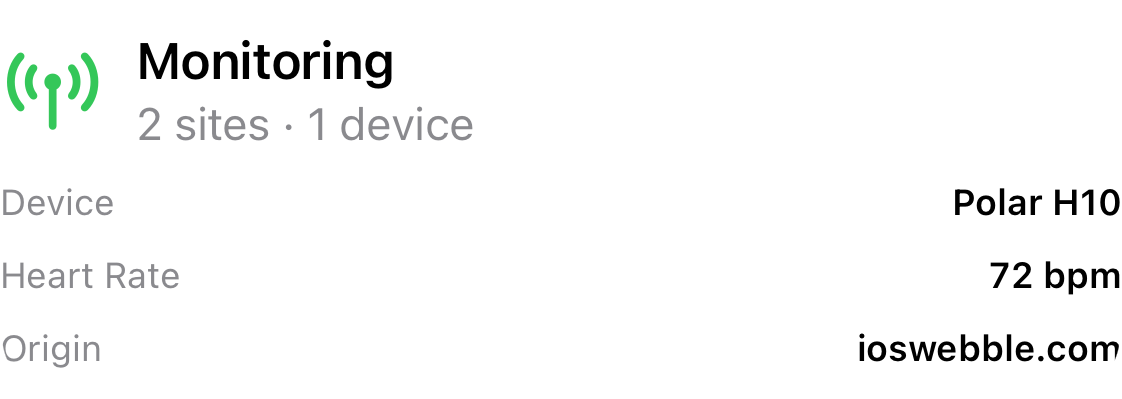
WebBLE Live Activity on iPhone Lock Screen and Dynamic Island

Monitoring stays in view

The Dynamic Island surfaces compact connection state during active monitoring. The Lock Screen widget can show current readings, connection progress, and beacon activity while the app stays in the background.

Live Activity is available in IPC relay mode, where the companion app owns the background BLE lifecycle and publishes state through ActivityKit.
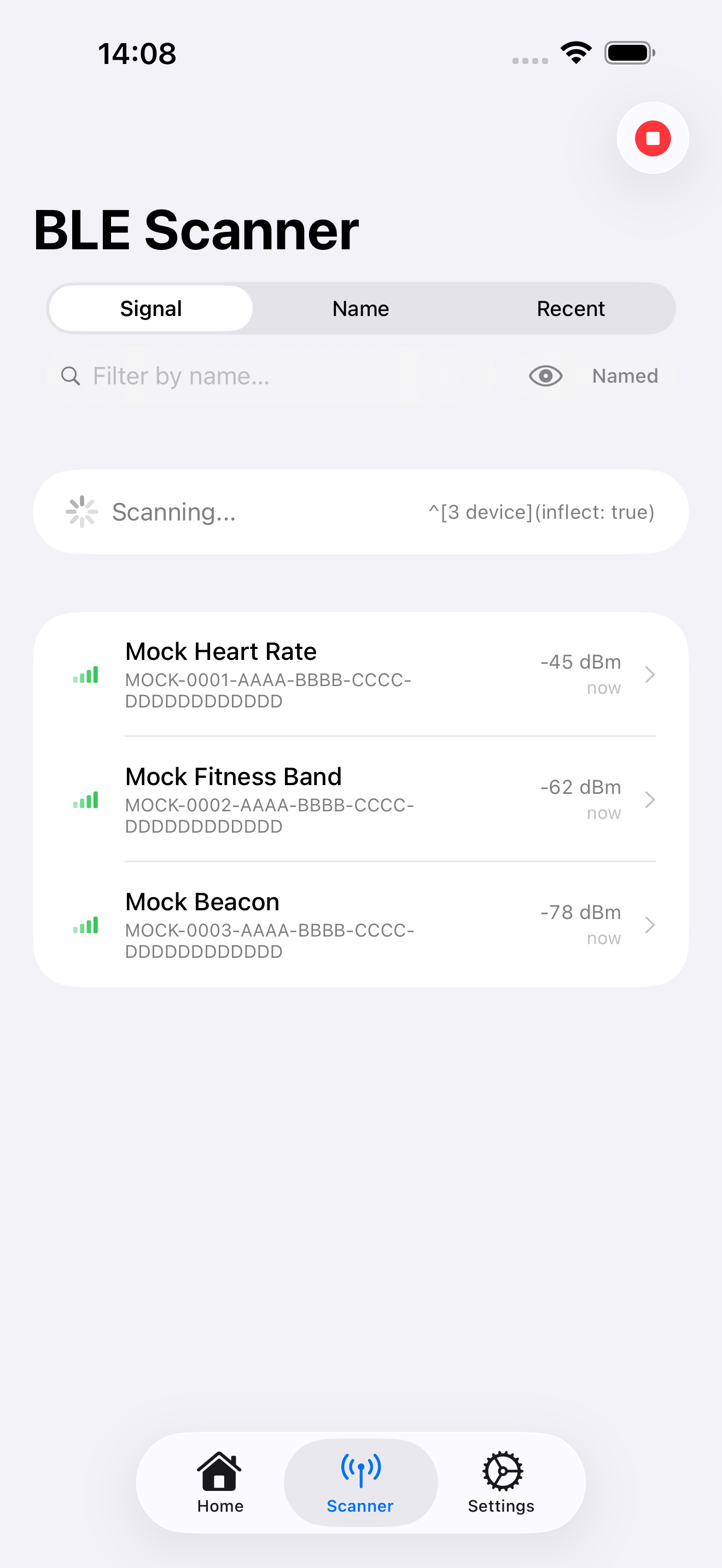
The host app that powers the extension.

iOS requires a container app to host a Safari Web Extension. The companion app also provides the BLE scanner, onboarding, diagnostics, and background services.

Built-in BLE scanner

Test Bluetooth connectivity independently of Safari. Scan for nearby devices, inspect advertisements, and verify the radio path before you start wiring integration code.

Onboarding and diagnostics

Guided setup walks users through enabling the extension and granting the Always Allow on Every Website permission. The app also exposes extension heartbeat status, connection state, and background monitoring details.

Teams shipping their own BLE workflow can white-label the companion app with their branding while keeping the same underlying Bluetooth implementation.

WebBLE companion app showing the BLE scanner

See it in action.

15-minute technical walkthrough covering background sync, the companion app flow, and integration mapping.